Step by step guide to Import Meesho TCS Sales Report
Upload Report on tally-integration.in
Sign up at Tally Integration, existing users may login here.
After login, click on Company List and add your company (if already added, this step is not required).
New users need to activate the trial from the left-side menu.
Go to Import Setting, choose Company ? E-Commerce Platform ? map necessary ledgers and voucher types.
Note: Default voucher types and ledgers will be auto-populated. You can modify them if needed.
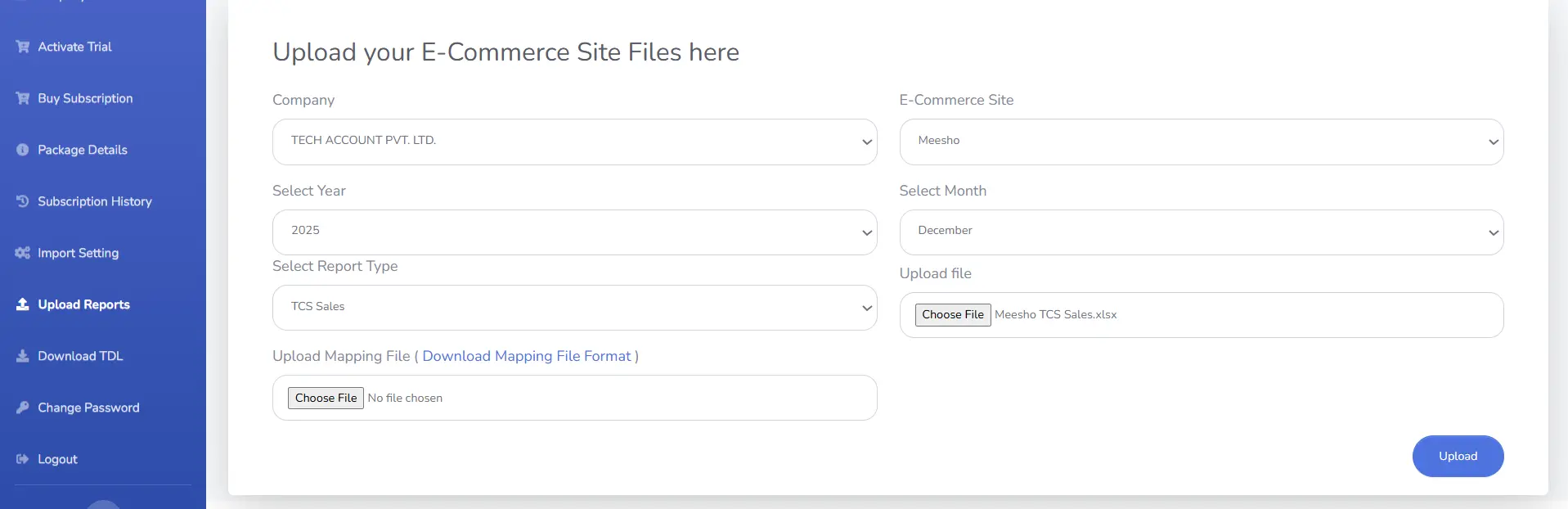
Go to Upload Reports from the left-side pane, choose Company ? Marketplace ? Year & Month, then upload the following reports:
TCS Sales Report
Order Report (Product SKUs are fetched from the order report)
- Tax Invoice Details Report (Invoice No and SKU can be fetched with this Report)
Load TDL and Import Data in Tally
Download TDL from here.
Open Tally / Tally ERP Prime and load the TDL.
Open an existing company or create a new company.
Update PAN and GSTIN in Tally. To learn the procedure, click here.
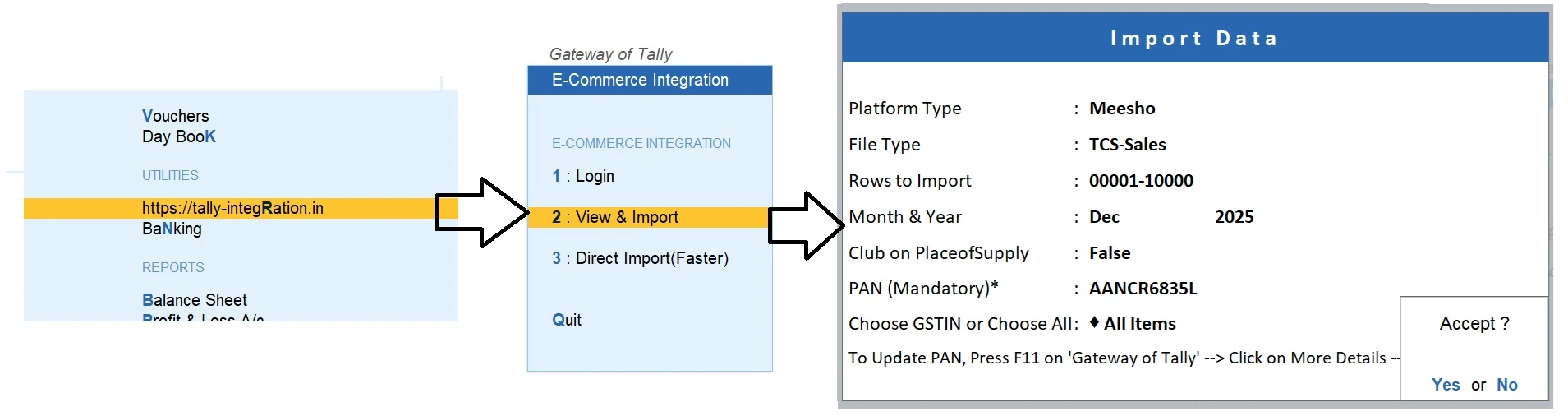
On the Gateway of Tally, go to Tally Integration and enter the login credentials of https://tally-integration.in/
Go to “View & Import”, choose the relevant options, and proceed.
Entire data will be displayed on the Tally screen as shown below:
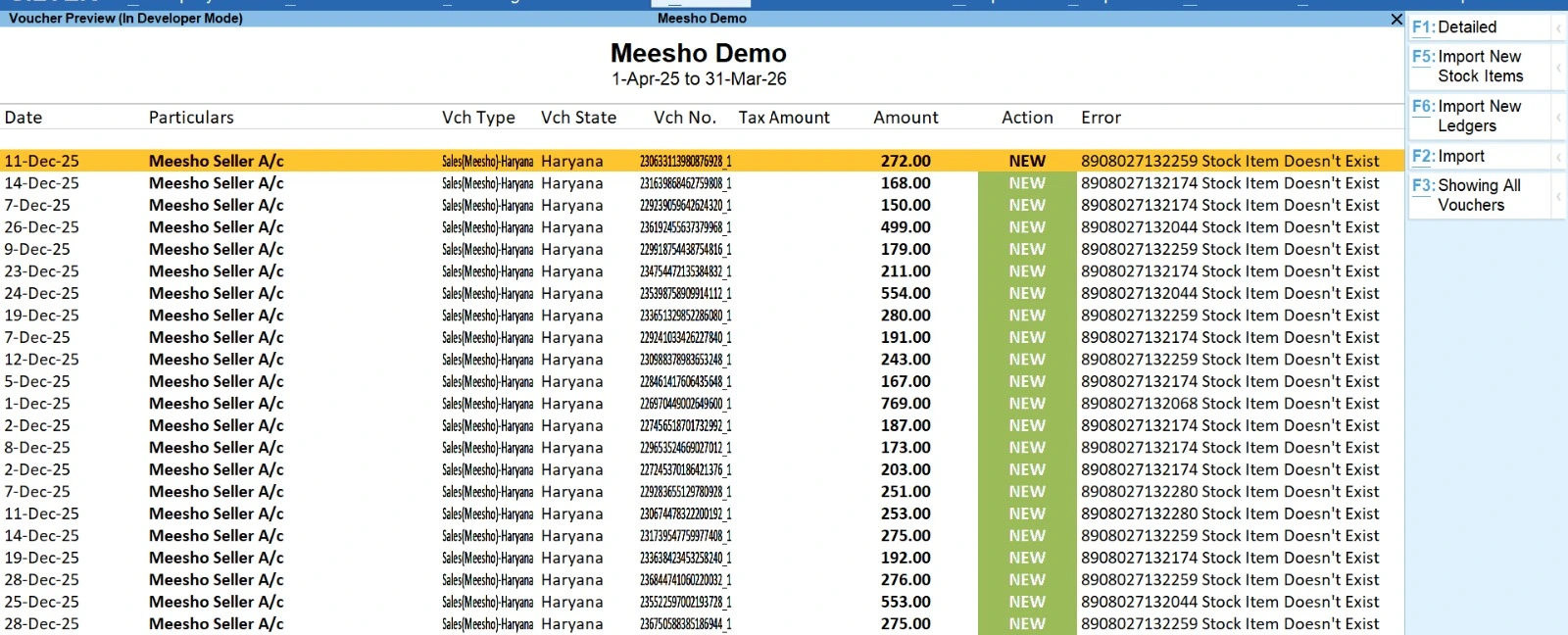
Now click on the import buttons in the following sequence:
i) Import new stock items to create new items if any
ii) Import new ledgers to create new ledgers if any
iii) Import vouchers to create vouchers
Reconciliation of data in Tally and TCS Sales Report
Reconciliation with Profit and Loss account
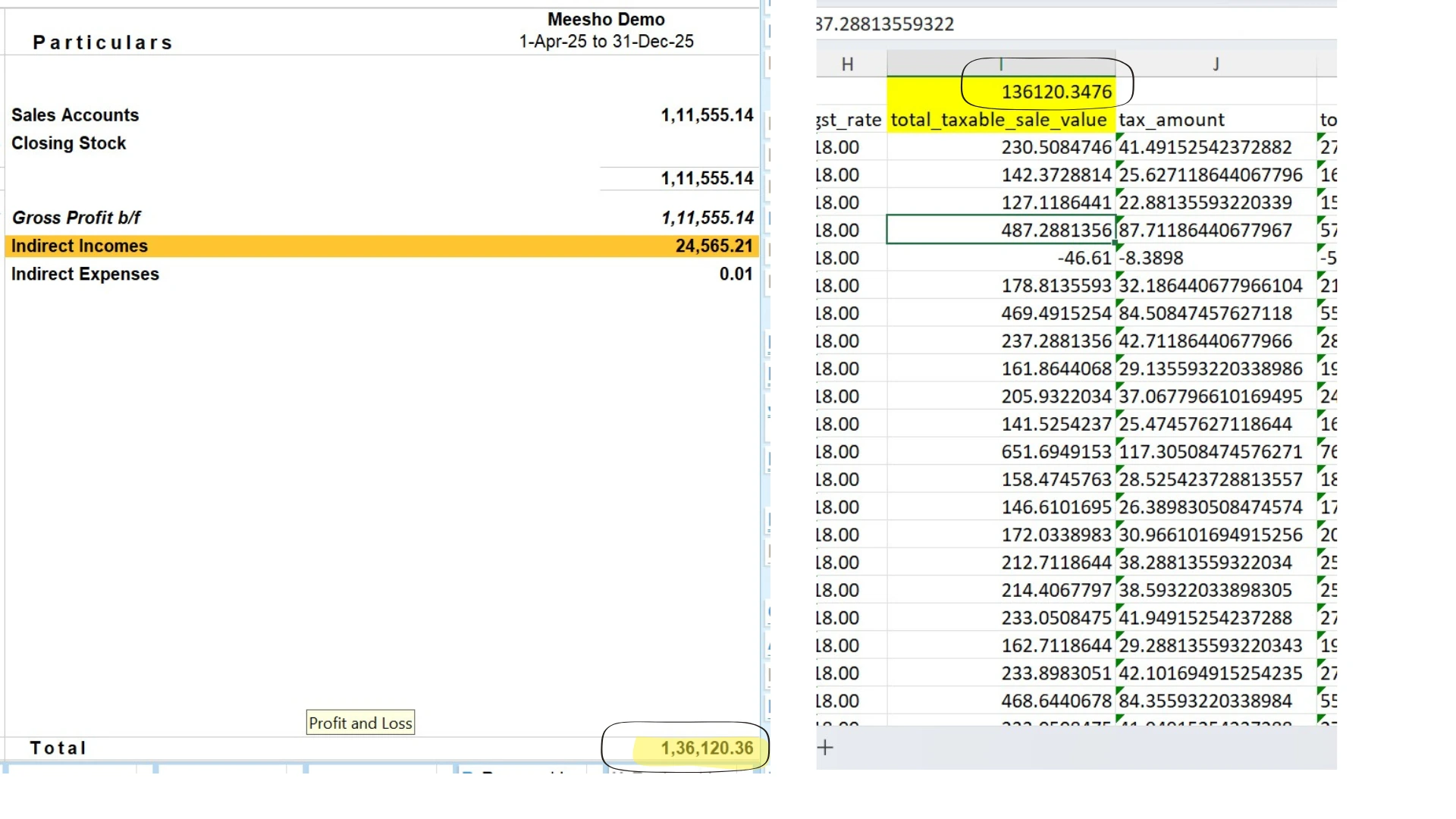
Open P&L a/c in tally and check right hand side total (Sales + Shipping) (Rs. 1,36,120.36 in below example)
Open Meesho TCS Sales Report and check total of column with heading ‘total_taxable_sale_value’ (Rs. 1,36,120.35 in below example)
You can see the total of taxable value in Meesho report is exactly matched with total of sales and shipping in Profit & loss a/c
Reconciliation with GSTR-1 Report
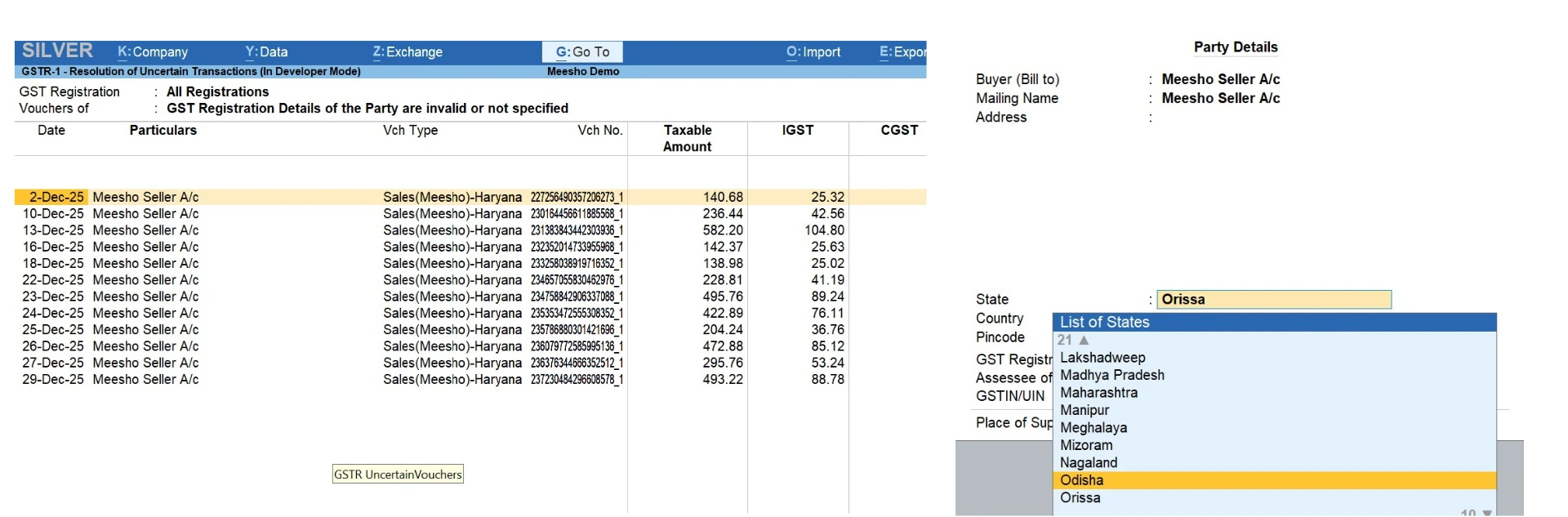
Open GSTR-1 Report in Tally. You might see error as per screen shot below. These errors are due to incorrect state name spelling in Meesho TCS Sales report. Please press enter on any error transaction and choose correct state name and save.
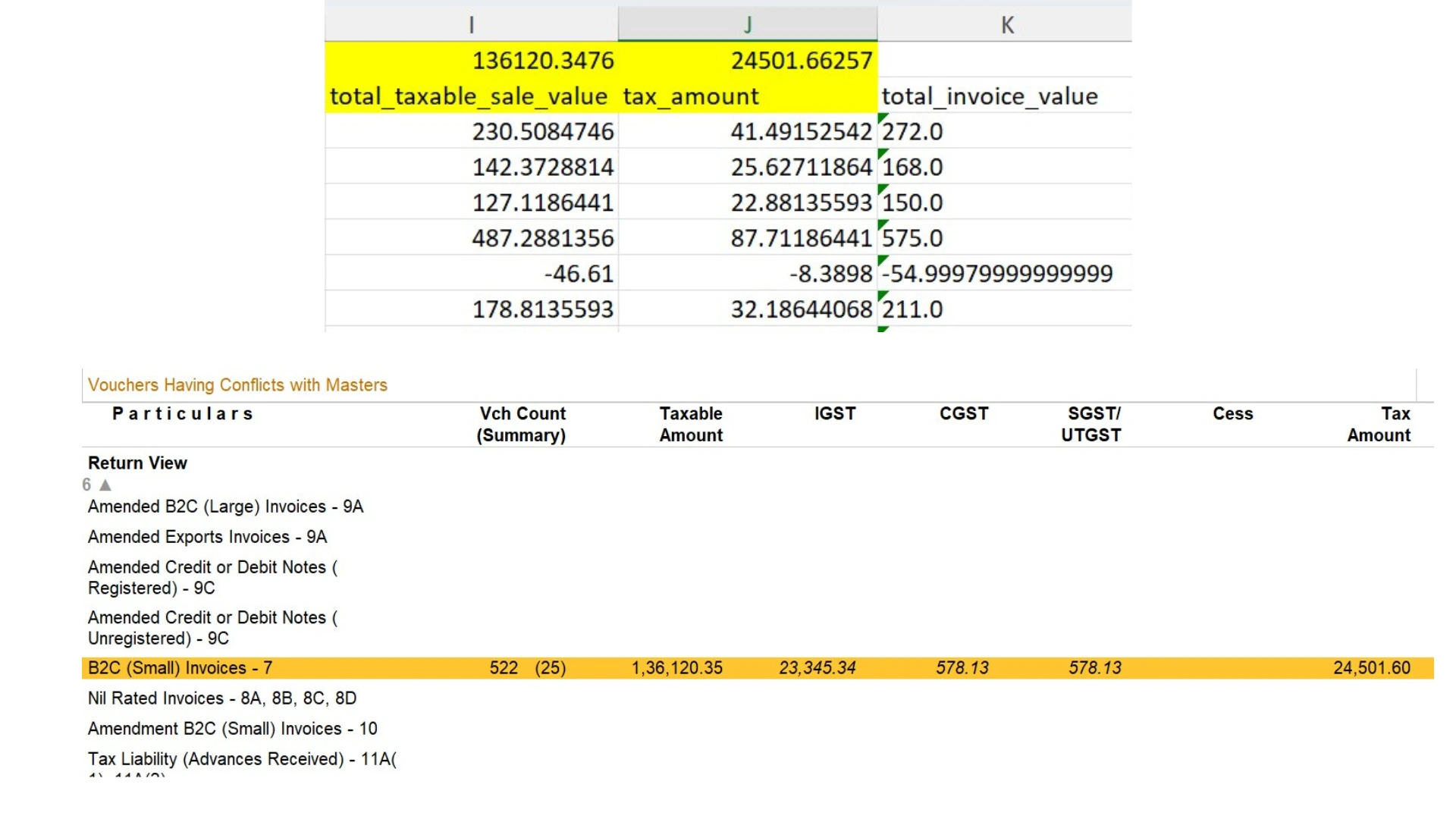
Now reconcile GSTR-1 Taxable Value and Tax Amount with the total of ‘total_taxable_sale_value’ and ‘tax_amount’ column in Meesho TCS Sales Excel file.
Reconciliation with Meesho Seller Ledger
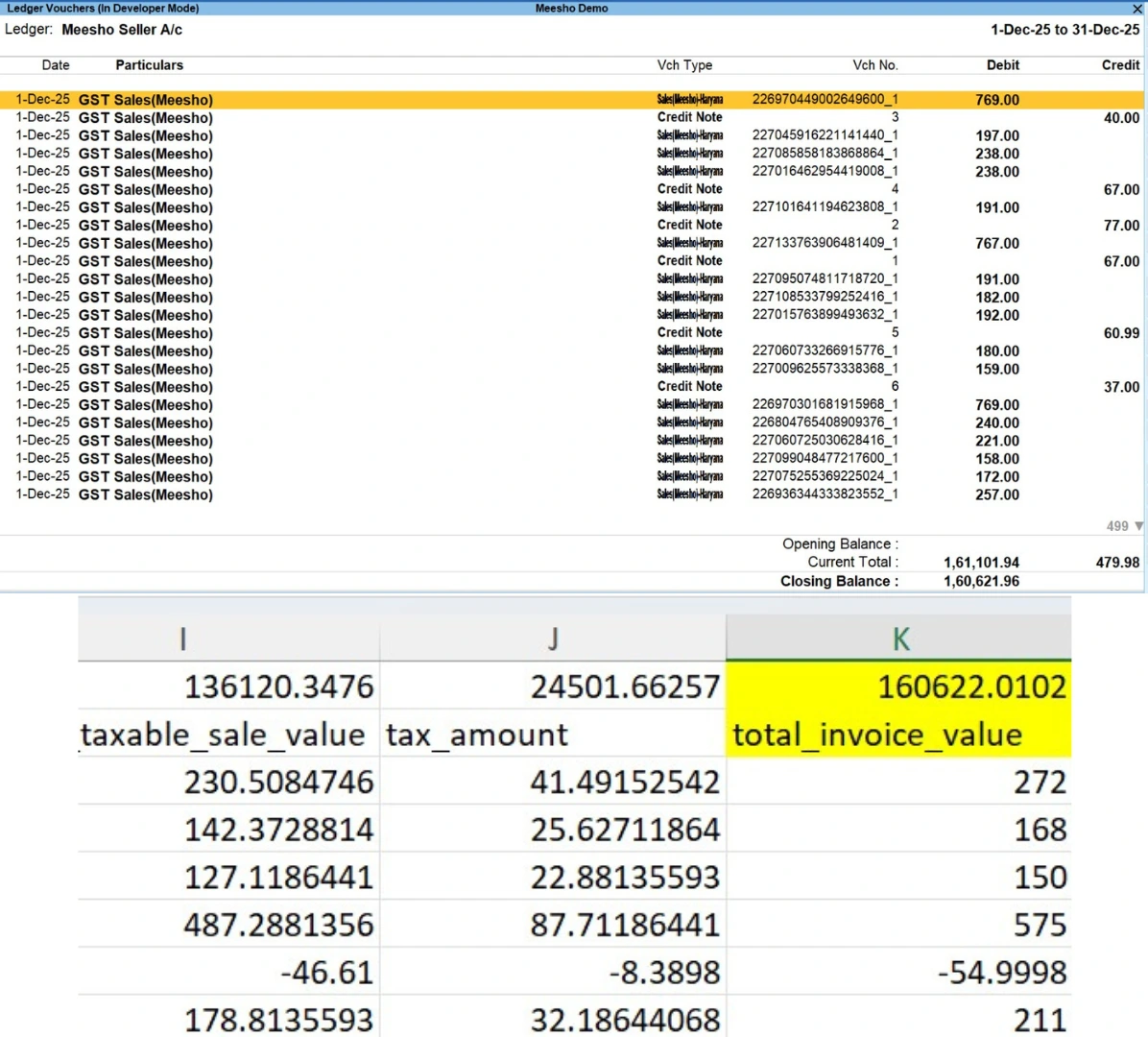
Open Meesho Seller Ledger in Tally. Calculate the difference of Total Debit and Total Credit as shown in Image Below.
Verify the same with total of ‘total_invoice_value column of Meesho TCS Sales Report.