What is Power Brain ERP to Tally Integration?
Power Brain ERP to Tally Integration is an automated solution that enables seamless data transfer from Power Brain ERP (Oracle Database based ERP system) into Tally Accounting Software.
This integration eliminates manual accounting work by automatically importing transactions and masters from Power Brain ERP into Tally in a structured, secure, and error-free manner.
Why Businesses Need Power Brain ERP to Tally Integration
- Maintain operational data in Power Brain ERP while keeping final books in Tally
- Automated voucher creation without manual data entry
- Improved accuracy and consistency in accounting records
- Easy reconciliation between ERP and Tally
- Time-saving and scalable integration for growing businesses
How Power Brain ERP to Tally Integration Works
1. Stored Procedure Creation in Oracle Database
Power Brain ERP uses an Oracle Database. For each Power Brain database, we create custom Oracle stored procedures that extract the required accounting and transactional data in a controlled and optimized manner.
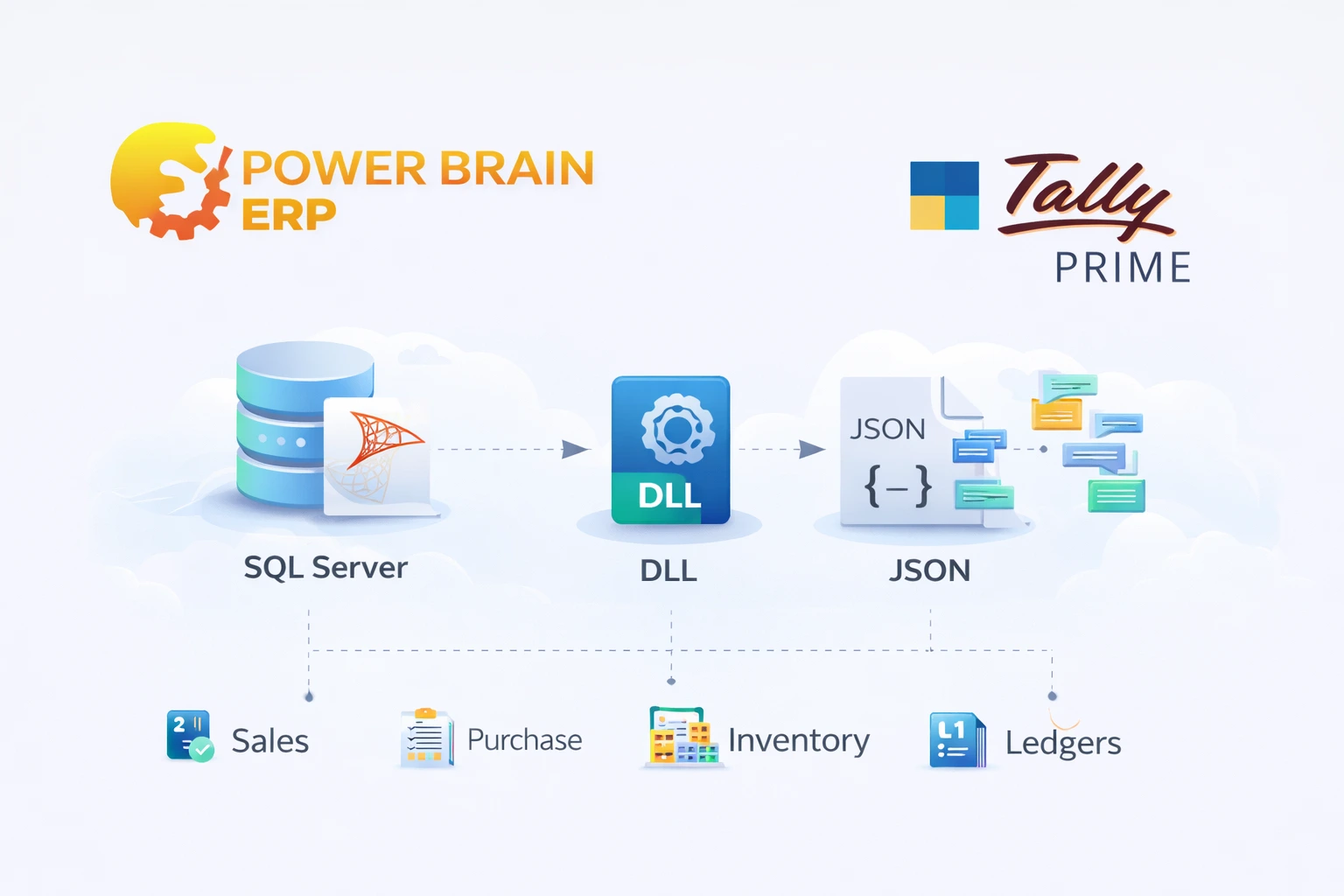
2. Calling Stored Procedures Using Integration DLL
A secure integration DLL acts as a middleware between Power Brain ERP and Tally. The DLL connects to the Oracle database using the configured database credentials and service name, executes the defined stored procedures, and fetches the result sets.
3. Conversion of Data into JSON Format
The data received from Oracle stored procedures is converted into a structured JSON format by the DLL. This JSON follows Tally’s import standards and ensures accurate mapping of vouchers and masters.
4. Import JSON into Tally
The generated JSON file is imported into Tally, where vouchers and masters are created automatically with proper ledger mapping, classification, and accounting structure.
Configuration Inside Tally
To activate the integration, the user only needs to configure the following details in Tally:
- Oracle database server address
- Service name (SID / Service)
- Database username and password
- Stored procedure name
Once configured, the integration becomes ready to use. For any new Power Brain database, only a new Oracle stored procedure needs to be created and updated in Tally.
Supported Data Import from Power Brain ERP
Masters
- Customer and supplier ledgers
- Stock items
- Groups and voucher types
- Units and godowns
Transactions
- Sales vouchers
- Purchase vouchers
- Receipts and payments
- Journal entries
- Debit and credit notes
Key Features of Power Brain ERP to Tally Integration
- » Oracle stored procedure based data extraction
- » JSON-based import for fast and reliable synchronization
- » Secure credential and service-based Oracle connectivity
- » No data duplication on re-import
- » Manual or scheduled synchronization support
- » Supports multiple Power Brain databases using the same DLL
Benefits Over Manual Accounting
| Manual Accounting | Automated Integration |
|---|---|
| Manual data entry | Automatic voucher creation |
| High chances of errors | Accurate and consistent data |
| Time-consuming process | Fast and scalable integration |
| Difficult reconciliation | Structured and auditable data |
| Not suitable for large data | Handles bulk transactions efficiently |
Who Should Use Power Brain ERP to Tally Integration?
- Businesses using Power Brain ERP for daily operations
- Organizations maintaining accounts in Tally
- ERP-driven enterprises with high transaction volumes
- Accounting firms managing multiple ERP clients
Why Choose Us for Power Brain ERP to Tally Integration?
- » Proven expertise in ERP to Tally integrations
- » Custom Oracle stored procedure design per database
- » Secure and reliable DLL-based architecture
- » Flexible mapping as per business rules
- » Post-implementation support and assistance